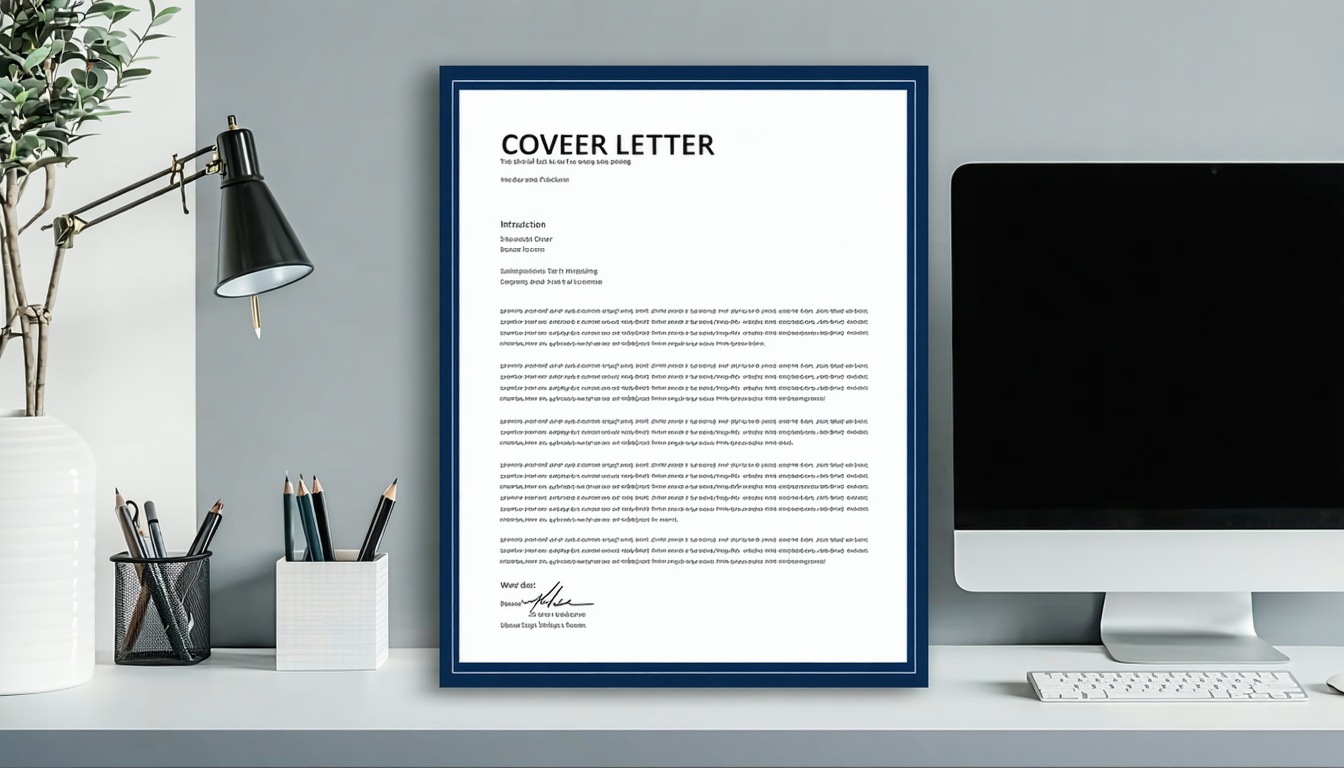
A word cover letter template gives you a ready-made format you can customize for any job. These templates save hours of formatting work. They help you create professional letters that pass applicant tracking systems.
Microsoft Word makes cover letters simple. Download free templates from their library. Customize everything from fonts to colors. Your letter looks polished in minutes.

Why Use a Word Cover Letter Template
Word templates solve the biggest cover letter challenge: starting from scratch. You get professional structure instantly. No more staring at blank pages. No more wondering about proper formatting.
Templates provide consistency across all your applications. Your contact information stays formatted correctly. Margins remain even. Spacing looks professional. These details matter to recruiters.
Time Savings Add Up Fast
Writing a cover letter from scratch takes 30-60 minutes. Using a word cover letter template cuts that time to 10-15 minutes. Apply to more jobs without sacrificing quality.
Templates eliminate formatting decisions. Font choice? Already decided. Paragraph spacing? Already set. Header placement? Already positioned. You focus on writing compelling content instead of wrestling with margins.
Job searching requires speed. Openings close quickly. Fast responses increase your interview chances. Templates help you move faster while maintaining professionalism.
Professional Appearance Guaranteed
First impressions happen in seconds. Recruiters scan your cover letter before reading a single word. Clean formatting signals attention to detail. Messy formatting suggests carelessness.
Word templates use proven layouts that recruiters expect. Contact information appears at the top. Body paragraphs flow logically. White space creates breathing room. Everything looks intentional and professional.
You can’t fake professional design skills overnight. Templates give you instant access to layouts created by design experts. Your applications look as good as candidates who hire professional writers.
ATS Systems Accept Word Formats
Applicant tracking systems scan your documents before humans see them. These systems prefer simple, clean formatting. Word templates designed for job applications work perfectly with ATS software.
Standard fonts like Arial, Calibri, and Times New Roman pass through systems smoothly. No text boxes or tables that confuse the software. No graphics that cause scanning errors. Just clean, readable text.
The .docx format works across all ATS platforms. Save your file as Word or convert to PDF. Both formats maintain your formatting and pass system scans successfully.
Finding the Best Word Cover Letter Template
Microsoft offers dozens of free templates through their online gallery. Office 365 subscribers access hundreds more. You get professional options without spending money.
Search “cover letter” in Word’s template section. Filter by style and industry. Preview templates before downloading. Find one that matches your field and personality.
Free Templates vs Premium Options
Free Microsoft templates provide everything most job seekers need. Professional layouts, clean fonts, proper spacing. Download immediately and start customizing. Zero cost for quality results.
Premium templates from third-party sites offer unique designs. More color options, creative layouts, matching resume templates. But honestly? Free options work just as well for landing interviews.
Budget-conscious job seekers win with free templates. Save money for interview outfits or career coaching instead. Premium templates rarely provide enough extra value to justify the cost.
Industry-Specific Template Selection
Creative fields like marketing or design allow personality in your applications. Choose templates with subtle color accents. Modern fonts work well. Show your design sense through smart template choices.
Conservative industries like finance or law require traditional formatting. Stick with classic templates. Black text on white background. Standard fonts only. Professional means understated in these fields.
Tech companies often appreciate clean, modern designs. Simple templates with good use of white space work best. Focus on content over decoration. Let your skills speak louder than fancy formatting.
Matching Your Resume Style
Your cover letter and resume should look like they belong together. Use the same font across both documents. Match your header design. Maintain consistent color choices if you add any.
Visual consistency shows attention to detail. Recruiters notice when documents match. It signals professionalism and care. Mismatched styles suggest rushed applications or lack of attention.
Download matching template sets when available. Microsoft offers pairs designed to work together. This removes the guesswork and guarantees visual harmony across your application materials.
Customizing Your Word Cover Letter Template
Templates provide structure, not final content. Every word needs customization for each specific job. Generic letters get rejected instantly. Personalized letters get interviews.
Start by updating your contact information. Add your name, phone number, email address, and LinkedIn URL. Include your city and state. Make it easy for recruiters to reach you.
Personalizing the Greeting
Find the hiring manager’s name whenever possible. Check the job posting first. Search the company website. Look at LinkedIn profiles. A specific name beats “Dear Hiring Manager” every time.
When you can’t find a name, “Dear Hiring Manager” works fine. Skip outdated phrases like “To Whom It May Concern.” Modern applications need modern language.
Some companies list recruiting teams instead of individuals. “Dear [Company Name] Recruiting Team” shows you researched while acknowledging the reality. Accuracy matters more than following outdated rules.
Writing a Strong Opening
Your first sentence needs power. State the job title you want clearly. Reference where you found the listing. Grab attention immediately with your strongest qualification.
Skip weak openings like “I am writing to apply for.” Recruiters know why you’re writing. Jump straight to value. Show confidence from word one.
Connect your background to their needs instantly. Demonstrate you understand the role. Prove you can deliver results. Make them want to keep reading past the first paragraph.
Highlighting Relevant Experience
Focus on the 3-5 skills the job posting emphasizes most. Match each requirement with a specific example from your work history. Use numbers whenever possible to quantify your impact.
“Increased sales by 30%” beats vague claims about “improving performance.” Concrete numbers prove capability. They give recruiters confidence in your skills.
Pull examples from recent positions first. Relevant experience from the last 2-3 years matters most. Older achievements work if they directly match job requirements. Prioritize recency and relevance.
Addressing Employment Gaps
Career breaks happen for many valid reasons. Your word cover letter template gives you space to explain gaps briefly and positively. Don’t apologize or over-explain.
Took time for family care? Say so confidently. Pursued additional education? Highlight new skills gained. Dealt with health issues? Mention you’re ready to contribute fully now.
Keep gap explanations to 1-2 sentences maximum. Shift focus quickly to current qualifications and enthusiasm. Present circumstances matter more than past timeline gaps.

Common Mistakes with Cover Letter Templates
Even the best Word templates can’t fix certain errors. Watch for these problems that sink otherwise strong applications.
Length Issues Kill Interest
One page is standard. Aim for 250-400 words total. Three paragraphs work for most situations. Going longer? You’re repeating yourself or including irrelevant information.
Dense text blocks tire readers. Templates with proper spacing improve readability. Break up long paragraphs. Use white space strategically. Give recruiters’ eyes a rest.
Saying less often communicates more. Every sentence should add value. Cut anything that doesn’t directly support your candidacy. Respect the recruiter’s time by being concise.
Generic Content Fails Every Time
Copy-pasting the same letter for every application guarantees rejection. Hiring managers spot generic letters in seconds. They’ve read thousands. Yours needs to stand out through specificity.
Here’s what personalization looks like:
- Reference the company name at least twice
- Mention specific products, services, or recent company news
- Connect your skills to their stated needs
- Explain why this role at this company excites you
- Show you researched beyond the job posting
Generic enthusiasm sounds fake. Specific interest feels genuine. Do the research. Make it personal. Your effort shows through your writing.
Formatting Errors Signal Carelessness
Proofread everything multiple times. Read your letter out loud. Reading backward helps catch typos. Ask someone else to review it. Fresh eyes spot mistakes you miss.
Consistency matters throughout your document. Bold all job titles or bold none. Keep spacing uniform. Match font sizes across sections. Small details signal professionalism or sloppiness.
Save your file with a professional name. “YourName_CompanyName_CoverLetter.docx” looks organized. “CoverLetter.docx” looks lazy. File names matter in competitive job markets.
Streamlining Your Application Process
Creating custom cover letters for every job takes serious time. Smart tools speed up the process without sacrificing personalization quality.
Modern AI writing tools analyze job descriptions automatically. They identify key requirements. They suggest relevant content from your background. Technology handles repetitive work so you focus on strategy.
AI Tools Transform Cover Letter Creation
AI generators read job postings and match requirements to your experience. They suggest specific phrases and accomplishments to emphasize. You review and refine the output. The final version sounds authentic while being optimized.
Speed matters in competitive job markets. Openings get hundreds of applications within days. AI tools generate drafts in seconds. You spend time refining instead of starting from scratch.
Quality doesn’t suffer with good AI tools. They maintain professional tone and proper grammar. They avoid generic phrasing. They create unique content for each application based on specific job requirements.
Smart Keyword Optimization
Applicant tracking systems scan for specific keywords from job descriptions. AI tools identify these keywords automatically. They work them naturally into your cover letter. This increases your chances of passing initial screenings.
Manual keyword research takes time and expertise. You need to identify critical terms without obvious keyword stuffing. AI handles this balance better than most humans can.
Your word cover letter template combined with AI keyword optimization creates powerful applications. Professional formatting plus strategic content equals more interview invitations. The combination works better than either approach alone.
Browser Extensions Simplify Everything
Modern browser extensions streamline your entire job search workflow. Install once and access powerful features on every job board. Apply to positions without leaving the page.
Extensions can autofill application forms using saved information. They track submissions automatically. They set follow-up reminders. Everything happens in one smooth workflow instead of jumping between programs.
The best extensions integrate with multiple job sites. LinkedIn, Indeed, ZipRecruiter, and others work through one tool. This saves massive time compared to managing each platform separately.
Advanced Cover Letter Strategies
Basic templates work for most situations. Advanced techniques separate you from other qualified candidates. These strategies require more effort but deliver better results.
Tell Compelling Stories
Stories stick in memory better than lists of qualifications. Choose one powerful example that demonstrates your value. Walk through the situation, your actions, and the results clearly.
The CAR method works perfectly. Challenge, Action, Result. Describe a problem you faced at work. Explain what you did to solve it. Share the measurable outcome. Keep it concise but compelling.
Stories humanize your application. They help recruiters remember you days later when comparing candidates. They prove skills through concrete examples instead of vague claims about capability.
Research Company Culture
Company websites reveal values and priorities. Read recent blog posts and press releases. Check social media accounts. Understand their voice and mission before writing your letter.
Reference specific details that align with your values. Mention recent achievements or initiatives. Show you care about more than just a paycheck. Cultural fit matters as much as skill fit.
LinkedIn profiles of current employees reveal company culture too. See what people emphasize in their work. Notice common themes across team members. Mirror language that resonates with the company’s identity.
Follow Up Strategically
Your letter should mention your follow-up plan. “I’ll reach out next week to discuss this opportunity” shows initiative. Then actually do it. Follow-through separates interested candidates from desperate ones.
Track every application carefully. Note submission dates. Set calendar reminders for follow-ups. Organized candidates impress hiring managers. Disorganized ones get forgotten.
Some postings explicitly request no follow-up. Respect those boundaries completely. For everyone else, a polite check-in after 5-7 business days shows continued interest without being pushy.
How RoboApply Accelerates Your Job Search
After mastering cover letter basics, the right tools multiply your results dramatically. RoboApply combines professional templates with AI automation to help you apply faster and land more interviews.
The platform includes AI-powered resume builders and cover letter generators. Create matching documents automatically. Maintain consistent formatting across all application materials without manual work.
Automated Applications Work While You Sleep
Applying to hundreds of jobs manually is impossible for most people. RoboApply’s AI Auto Apply submits applications 24/7. It customizes each submission based on job requirements automatically.
The system works across LinkedIn, Indeed, ZipRecruiter, and other major job boards. One platform manages everything. Set your preferences once. The AI finds matching positions and applies with optimized materials.
This scale increases interview chances by 3-4x according to user data. More applications mean more opportunities. Quality stays high because AI handles customization. You focus on interview preparation instead of form filling.
Resume and Cover Letter Integration
Your cover letter and resume should complement each other perfectly. RoboApply creates matching documents automatically using the same formatting and style. Consistent materials signal professionalism and attention to detail.
The AI Cover Letter tool pulls relevant experience for each application. It adjusts keywords for ATS optimization. It maintains your authentic voice while optimizing for results. You get personalized applications without the manual work.
Built-in scoring shows how well documents match job requirements. Make improvements before submitting. Know your application is strong before sending it. Data-driven decisions beat guesswork every time.
Track Everything in One Dashboard
Job searching involves managing dozens or hundreds of applications simultaneously. RoboApply tracks everything automatically in one central dashboard. See which applications got responses. Identify patterns in successful submissions.
The Analytics feature shows your performance across job boards. Monitor application counts, response rates, and interview invitations. Use data to improve your approach over time.
Users report applying to 10x more positions in the same time frame. More applications lead to more interviews. More interviews lead to better job offers. The math works in your favor with the right tools.
Get Interview-Ready with AI Copilot
Landing interviews is only half the battle. RoboApply’s Interview Copilot prepares you for every conversation. Get real-time answers during actual interviews. Practice with AI-generated questions beforehand.
Role-specific questions help you prepare for your exact situation. Personalized feedback improves your delivery. Confidence building exercises reduce anxiety. Walk into interviews prepared and ready to impress.
The comprehensive platform handles your entire job search from applications through interviews. Start with a strong word cover letter template foundation. Let AI automation amplify your efforts. Apply smarter, interview better, get hired faster.
Start Landing More Interviews Today
Word templates provide the professional foundation your applications need. They save time, ensure proper formatting, and work with all applicant tracking systems. Download free options from Microsoft or create your own reusable format.
Customize every letter for each specific job. Research companies thoroughly. Tell compelling stories. Proofread carefully. These fundamentals never change regardless of tools you use.
Combine strong templates with modern automation tools for maximum impact. RoboApply transforms your job search through AI-powered applications and interview preparation. Professional materials plus smart technology equals faster results.
Your next opportunity is waiting. A polished word cover letter template opens doors. Strategic automation multiplies your reach. Thorough preparation seals the deal. Use every advantage available to land your ideal role faster.